
Before and after transforming a cluttered workspace
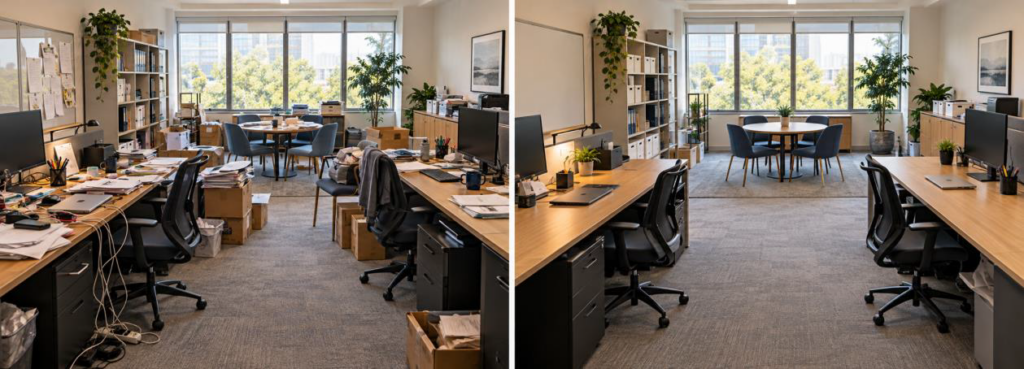
Clutter rarely arrives all at once. A box waits beside a desk because nobody knows where it belongs. Paper stacks grow while a filing decision is postponed. Extra pens, cables, folders, and event materials spread across open surfaces because the storage nearby is already full.
The room may still function, but every task takes a little more effort. Employees move materials before they can sit down. Meeting supplies have to be gathered from several places. Shared tools disappear into drawers. Walkways narrow. Cleaning around the clutter becomes harder.
A workspace reset can correct those problems without turning the office into a bare showroom. The strongest before-and-after changes keep the tools people use, remove what no longer supports the work, and place active supplies where employees reach for them.
Before: Observe how the room works
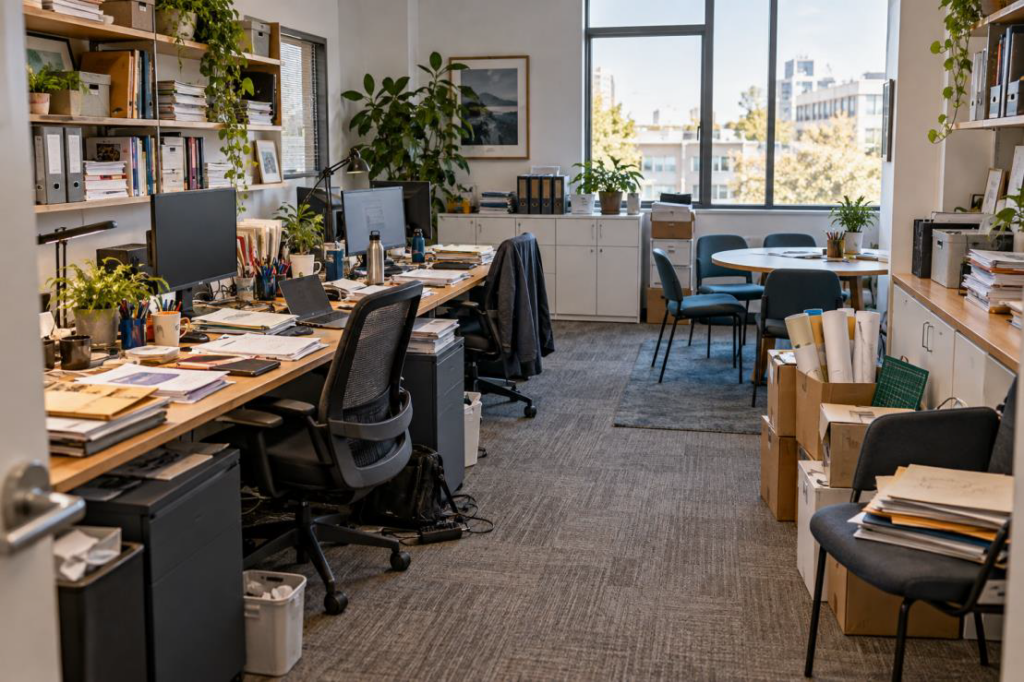
Start with the room in normal use. Do not clear the surfaces before evaluating it. The clutter shows where the current system is failing.
Look for items that repeatedly land in the same unplanned places. A stack of folders on a chair may mean the file cabinet is too far away or already full. Meeting markers scattered across desks may mean the conference area lacks storage. Boxes in a walkway may be waiting for a shelf, a return decision, or an owner.
Ask employees which items they use every day, which supplies they search for, and which surfaces they need to keep open. Note where people pause, reach across one another, or carry materials from room to room. These small delays point to changes that will improve the space.
Take photographs from several fixed angles and list the problems by location. Record blocked pathways, crowded work surfaces, duplicate supplies, loose cables, mixed storage, and furniture that no longer fits the work. The photographs give the team a clear baseline and make the finished result easier to judge.
Sort by use instead of appearance
Begin the reset with four practical groups. Keep items used often. Move occasional items to secondary storage. Return or relocate products owned by another team. Recycle, archive, donate, or discard materials that no longer serve a business need.
Handle paper by decision, not by stack. Active work needs a defined tray or project file. Records that must be retained belong in the approved filing system. Reference material needs an owner and a review date. Paper without a purpose should not move into a new organizer.
Apply the same test to office supplies. Keep a reasonable working quantity at the point of use and place backup stock in one supply area. Ten half-used containers of pens create more visual noise than one organized set and a known refill location.
Avoid buying storage before sorting. Containers can hide excess without solving it. Once the team knows what will stay, it can choose shelves, bins, drawers, and organizers sized for the actual contents.
Clear the work surfaces
A desk should support the work performed there. Shared desks need even fewer permanent items because each person should be able to start without moving someone else’s materials.
Keep the monitor, keyboard, pointing device, phone equipment, a writing tool, and the current work within easy reach. Move bulk supplies, completed files, shipping materials, and event stock elsewhere. Use a small organizer only for items that employees reach for during most workdays.
Leave a clear area for writing, reviewing documents, or placing a laptop. At a meeting table, keep the center open and store markers, sticky notes, adapters, and cleaning wipes in a nearby caddy or cabinet. The room stays ready without displaying every supply it contains.
Personal items can remain when the workspace is assigned. Give them a reasonable boundary, such as one shelf or a small part of the desk. In a shared space, use a drawer, locker, or mobile bin so the next employee receives a clean work surface.
Give supplies a clear home
Group supplies around the tasks they support. Place mailing materials together. Keep meeting supplies near the conference area. Store printer paper and toner near the equipment while preserving service clearance. Put backup desk supplies in one cabinet instead of spreading them across several departments.
Choose locations based on frequency and weight. Everyday items belong between knee and shoulder height when possible. Heavy products should stay on stable lower shelves. Occasional supplies can use upper shelves or closed cabinets. Keep chemicals and cleaning products separate from paper, food, and personal items.
Labels should describe the contents in language employees already use. A label such as meeting supplies is more helpful than miscellaneous. Match the label to the shelf, bin, or drawer rather than attaching small labels to every individual item.
Leave some empty capacity. A cabinet packed to the front edge becomes difficult to maintain, and incoming orders have nowhere to go. Open space helps employees return items and makes stock levels easier to see.
Fix the paper and cable flow
Paper and cables create visible clutter quickly because both move through the workspace all day.
Create an entry point for incoming paper. Use a tray for items that require action and a separate location for materials ready to file or distribute. Limit the number of stages. Each additional pile makes ownership less clear.
For cables, remove equipment that is no longer used and match each remaining cable to a device. Route power and data cords away from feet, chair wheels, and work surfaces. Cable trays, clips, sleeves, and short charging leads can control slack without making maintenance difficult.
Keep chargers for shared devices in one location. If employees regularly borrow adapters for meetings, build a small kit and return it to the same cabinet after use. Replace damaged cords and follow equipment and electrical safety requirements.
Arrange furniture around the work
After supplies and paper are reduced, review the furniture. A crowded room may not need more storage. It may need a better layout or fewer pieces.
Protect the main path through the room. Employees should be able to reach desks, cabinets, printers, and exits without turning sideways around boxes or chairs. Leave room behind occupied seating and consider how an employee using a mobility device approaches work surfaces and shared equipment.
Separate activities that compete with one another. Focused work should not sit directly in the busiest supply path. A small meeting table needs enough clearance for chairs and should not become overflow storage. Printers and frequently opened cabinets need space for users to step aside.
Furniture may need to change when the current pieces cannot support the work. Mobile pedestals can replace improvised paper stacks. Adjustable monitor arms can return desk space. A properly sized storage cabinet can hold shared supplies more safely than open boxes. Any new piece should solve a defined problem and fit the room measurements.

After: Make the reset easy to maintain
The finished room should look calmer because the system is clearer, not because every object was hidden before the photograph.
Assign an owner for shared storage and set a short weekly check. The owner does not have to clean every desk. The role is to watch reorder levels, return stray supplies, remove empty packaging, and flag items that no longer fit the system.
Use minimum and maximum quantities for products that are used often. The minimum prevents stockouts. The maximum keeps backup supplies from taking over active workspace. Review usage before placing a large order based only on unit price.
Give teams a regular time to reset. Five minutes at the end of a shared work session can be enough when every item has a home. Schedule a deeper review each quarter to remove abandoned materials, check cable condition, and confirm that the layout still supports the work.
Compare the finished room with the baseline photographs. Check whether surfaces remain usable, paths stay open, and employees can find common supplies without asking around. Those results matter more than a perfectly empty desk.
A better room starts with a specific problem
Workspace transformation does not require a dramatic renovation. It requires clear decisions about what belongs in the room, where active supplies should live, and how furniture should support daily work.
Keeney’s provides office essentials, storage and organization products, facility supplies, and workplace furniture and interiors. A Keeney’s specialist can help identify products for a focused reset or plan a broader space refresh around how the team works.
Ready to reset your workspace? Talk with a Keeney’s specialist
Workspace reset checklist
• Which surfaces are blocked or regularly used as storage?
• What do employees search for during a normal workday?
• Which supplies appear in several locations?
• What paper needs action, filing, distribution, or disposal?
• Are cables matched to active equipment and routed safely?
• Does every shared item have a clear home?
• Can employees reach common supplies without moving other materials?
• Are walkways and approaches to shared equipment open?
• Does the furniture fit the work and the room measurements?
• Who owns the weekly reset and stock review?